Are mini-LED monitors worth it for video editing and color grading? That’s a common thought for anyone working with visuals. These tasks need accuracy, brightness, and a good viewing experience.
Let’s try to understand how a mini-LED monitor supports this kind of work, in a simple way.
In basic terms, a mini led computer monitor uses tiny light sources placed more closely together than traditional screens. This gives more control over brightness and improves the overall display quality.
For anyone editing videos or adjusting colors, this better control means what you see is more detailed and more balanced.
Now let’s break it down step-by-step.
If you work with video, brightness is not just about making things look sharp. It also helps when checking how footage will look in different lighting situations—just like how to create a video gallery in WordPress requires understanding how visuals appear across different screens and environments.
A screen with 1500 nits brightness can show you very clear highlights and deeper shadows.
This is helpful when:
It allows you to edit confidently without second-guessing if the video will look washed out on another device.
Color Precision In Grading One of the chief points in colour correction is that what is shown on the monitor is just what will be seen later. A mini-LED screen that covers 100% sRGB, displays 16.7 million colors, and gives you that kind of clarity. You won’t have to worry about guessing hues or missing subtle changes in shade.
This becomes useful when:
Color work needs this kind of accurate view to make the final result look professional and balanced.
With a 2560 × 1600 screen, there are more pixels, so if you have the resolution set up right, all edges match up much more neatly than they do when working at 1080p.
This means for editors that there is space to arrange timeline tools and preview windows side by side without zooming or scrolling quite so much as with an inferior display device.
A 2K resolution helps in:
The added screen clarity also reduces eye stress during long hours of editing or reviewing. You can notice tiny shifts in visual effects or transitions without straining your eyes, especially when working on high-resolution monitors like the ucolor o lite, which focuses on both clarity and comfort.
When you sit beside a customer or team member watching the screen, you need to run everything by the people seated to your left and right at the same time.
It is therefore important that if a 178° viewing angle is adequate for the flatscreen in front of you, then friends on either side see exactly what’s up without having to move out of their chairs.
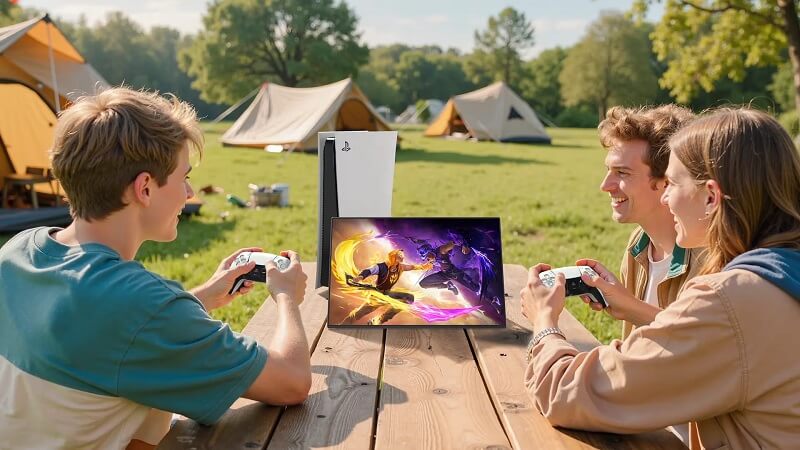
This is useful during:
It avoids unnecessary screen adjustments or sending screen recordings just to explain one shot.
One overlooked benefit of this kind of screen is how easy it is on the eyes. The low blue light tech makes it suitable even during late-night work. Especially when you’re editing continuously, this feature helps reduce strain and keeps you focused.
Also, the matte finish reduces reflections. You won’t get distracted by background lights or window glare while working on detailed grading.
If you’re into editing long projects like short films or documentaries, this comfort becomes useful.
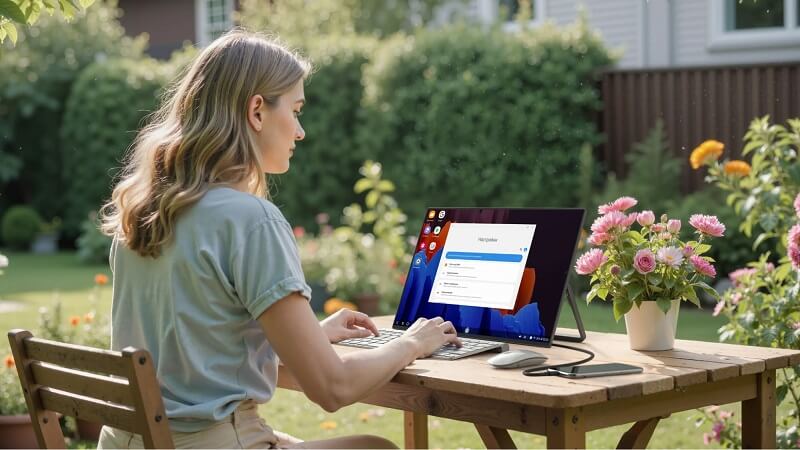
If you make a living traveling between editing suites or take your work with you, bringing a lightweight screen can only make life easier. A 0.53 kg monitor swung inside a laptop bag assists mightily when you are ensconced in coffee bars, such as in studios or on shared stages as well.
It works well in:
You can plug it into any laptop or even cameras with USB-C or mini HDMI ports. It starts working without any drivers.
This helps especially if you’re a freelancer or a content creator managing your work from multiple places.
The screen supports both USB-C and HDMI inputs. So it works smoothly with laptops, consoles, cameras, tablets, or mini PCs. You don’t need to worry about matching cables or buying converters. Just connect, and it displays your feed.
There’s also a 3.5mm jack if you prefer using headphones while working on sound syncs or audio mixing.
This kind of flexibility helps during:
You can mount it too, using standard VESA screws if you want a more fixed setup at your desk. This makes it suitable for both mobile and home use.
Let’s look at some features and how they support actual editing tasks:
| Feature | Why It’s Helpful for Editors |
| 1500 nits brightness | Good for color grading and HDR review |
| 100% sRGB | Accurate tones for skin, nature, product |
| 2K resolution | Sharp preview and more tool space |
| 178° angle | Shared review and client feedback |
| Low blue light | Less eye strain during long edits |
| Matte screen | No reflection from lights or windows |
| USB-C and HDMI | Works with multiple devices |
| Built-in stand | Quick setup anywhere |
| 0.53 kg weight | Easy to carry and travel with |
These features cover most of the needs of a video editor or color grader. It doesn’t try to overdo anything, just provides a clear and practical screen to work on.
We mustn’t forget another benefit of this kind of set-up: people working from home or flexibly can find a solution as long as there’s space to set up the stand, etc. When you’re editing travel videos, social media clips, or YouTube music downloads, you don’t always need a 27-inch 4K resolution screen.
This is fine in small set-ups, capital at a glance, without the need to toggle around too much. When you edit videos from your notebook, it also lets you stretch out the timeline.
If you’re using a main screen and want a second screen only for preview, this can also make a portable monitor with a battery that helps you do better multitasking.
For color accuracy, high brightness, and portability–all important attributes for editors and creators–a mini-LED monitor like this one makes a lot of sense. It provides reliable visuals and keeps your desk from being cluttered unnecessarily. Just as important, you get clear images that allow production scale-up without deteriorating output quality.
The combination of a clear show, matched colors, and an operation that doesn’t wear you out is just right for the long hours of modern editing work.

With our extensive collection of elements, creating and customizing layouts becomes
second nature. Forget about coding and enjoy our themes.